
User permissions can differ across companies. If you have permission to create a user you will be able to access this page in TenantTech. If you don’t have access, we recommend contacting your company admin for assistance.
Users cannot modify their own profile details directly. For any changes, management teams should have at least two company admin user profiles.
Adding a New User
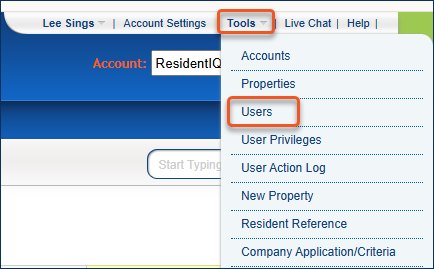
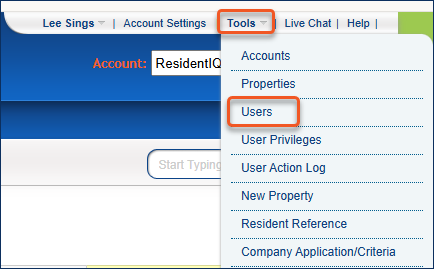
1. Select Tools >> Users
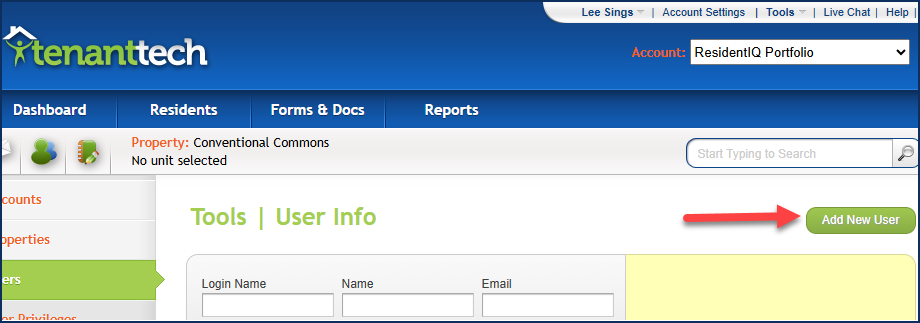
2. Select the green Add New User button.
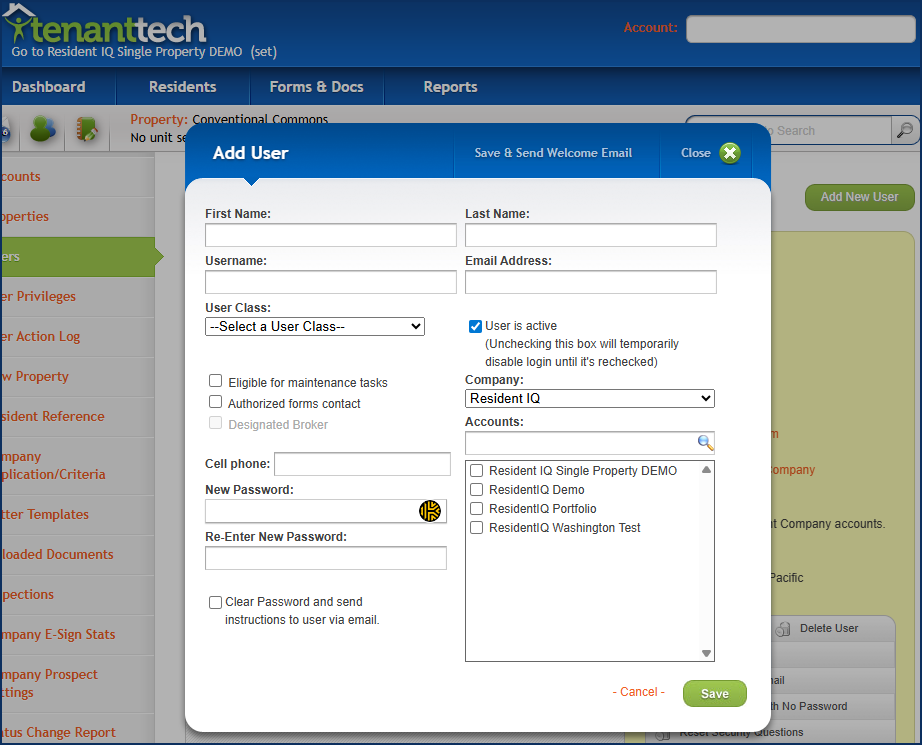
3. Enter user details such as:
- First/Last name
- Email address
- Username for their new profile
- Select the appropriate user class.
- Note: Users given Company Admin access will have access to all accounts under your management company.
- Users can be given designated task such as authorized forms contact or designated broker, select the options before you select to ‘Save & Send Welcome Email’ to the new user
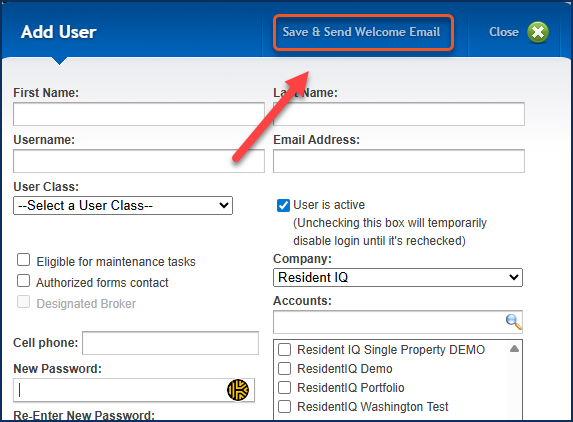
4. Select to Save & Send Welcome Email
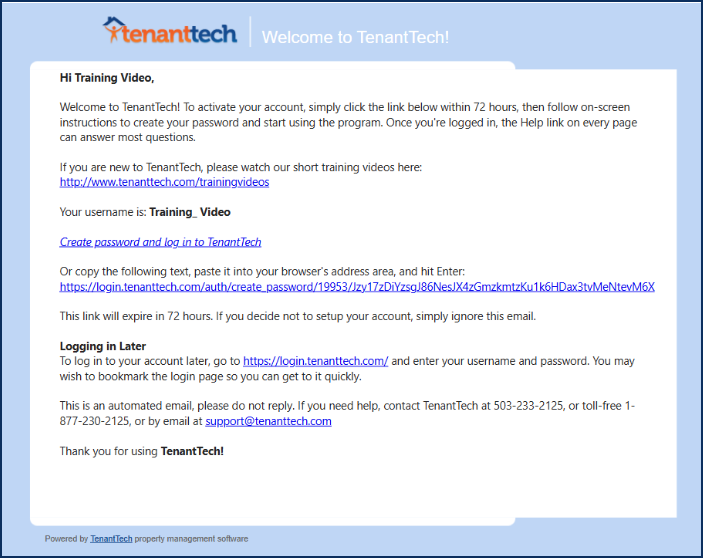
A new user must use the links provided in the Welcome Email within 72 hours.
Adjusting Existing User Profile
1. Select Tools >> Users
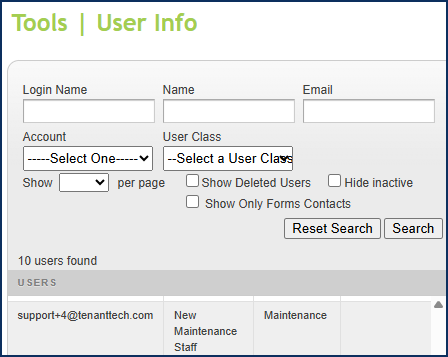
2. Search for the existing user profile using search parameters such as Name/Login Name or Email address. To search for a broader range of users under your management group, search by Account or User Class.
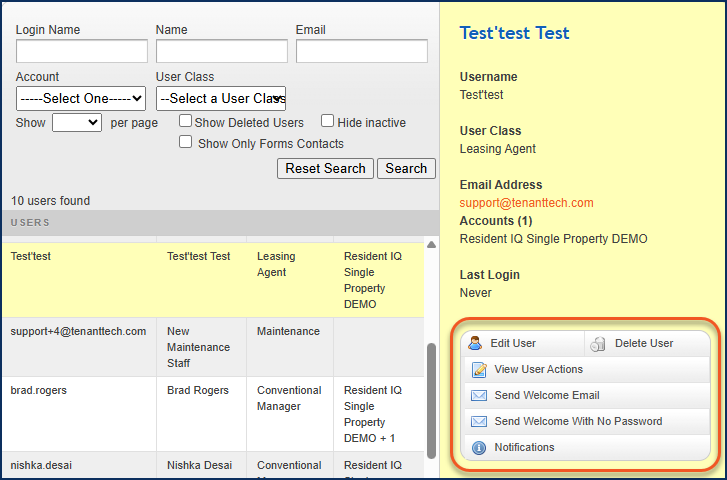
3. Select the appropriate user from search results. Use the provided menu options to modify or manage a user’s profile.
- Edit User- Adjust any details for a user profile such as user class, email address, name and or designated task.
- View User Actions- Review a log of user actions performed by a particular profile.
- Send Welcome Email- will contain a URL to establish the user’s password. This email will also contain the user’s username they will need to sign in. The email also contains links to short training videos to help new users as they get started in program. Password links in this email expire after 72 hours.
- Send Welcome Email with No Password- The email will contain links to training videos and the user’s username. This option does not provide user with a link to establish their profile.
- Notifications- allows for users to determine what actions to be notified about and method.
Quick Reference Directions
How to search for an existing user profile-
Tools>> Users>> Search User- Name, Login Name or Email>> Select User>> Use menu options to modify user profile.
How to create a new user profile-
Tools >> Users >> Select- Add New User>> Enter- Name (First and Last), email address, username, select user class, select account/s user will have access (Company Admin level access does not require selection)>>Select – Save & Send Welcome Email.