
What is Digital Income Verification (argyle)?
Digital Income Verification powered by argyle begins with an automatic income check through The Work Number.
The applicant’s self-reported income entered during the online application process is automatically compared to available employment data provided through Equifax’s Work Number.
If additional verification is needed, applicants can securely connect their payroll or bank provider or upload income documents within the online application workflow. This approach reduces manual reviews, improves accuracy, and gives applicants flexible, convenient options to complete income verification. Check out the short video to see how argyle works within our Application,How to share your income and employment information with argyle .
Who Can Use Digital Income Verification (argyle)?
Digital Income Verification is available only for accounts using TenantTech's online application and meet the following requirements:
- The TenantTech account uses Western Reporting for screening.
- The account is enrolled in an Income Verification product with Western Reporting.
For more information about adding this product to your screening package, please contact sales@tenanttech.com.
What Applicants Can Expect During the Online Application Process
1. Start the Application
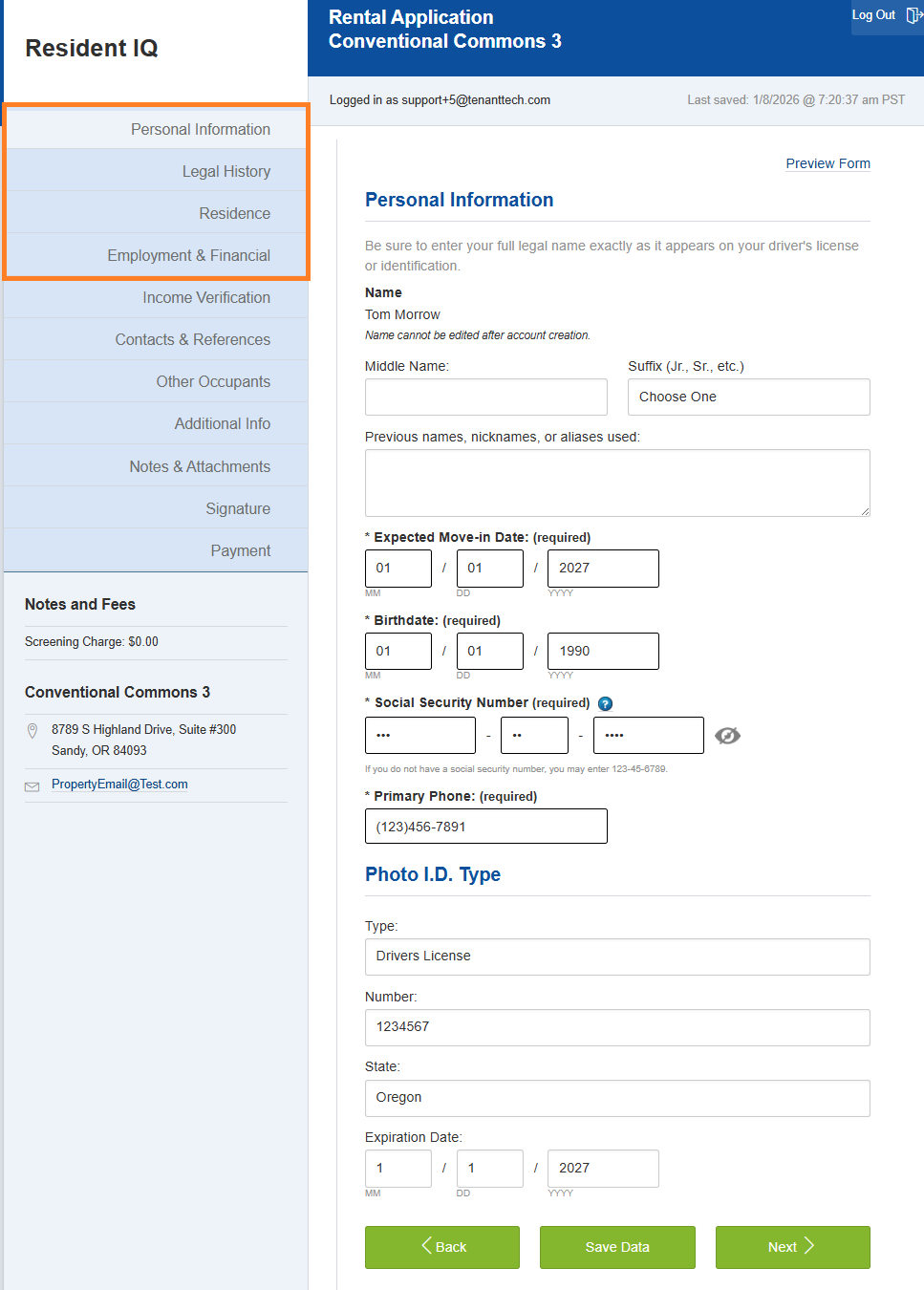
Applicant provided information is used to perform the initial income comparison through The Work Number:
- Personal Information
- Legal History
- Residence
- Employment & Financial
2. Income Verification Page
Applicants are presented with a page explaining Digital Income Verification. They must consent to digital income verification by selecting Next.
- TenantTech compares the applicant’s self‑reported details with data from The Work Number
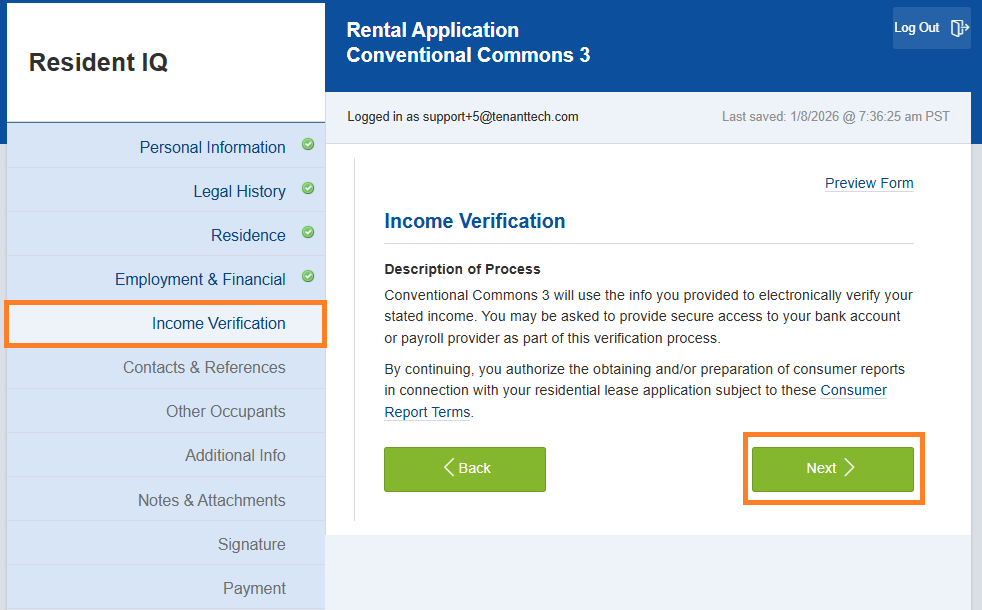
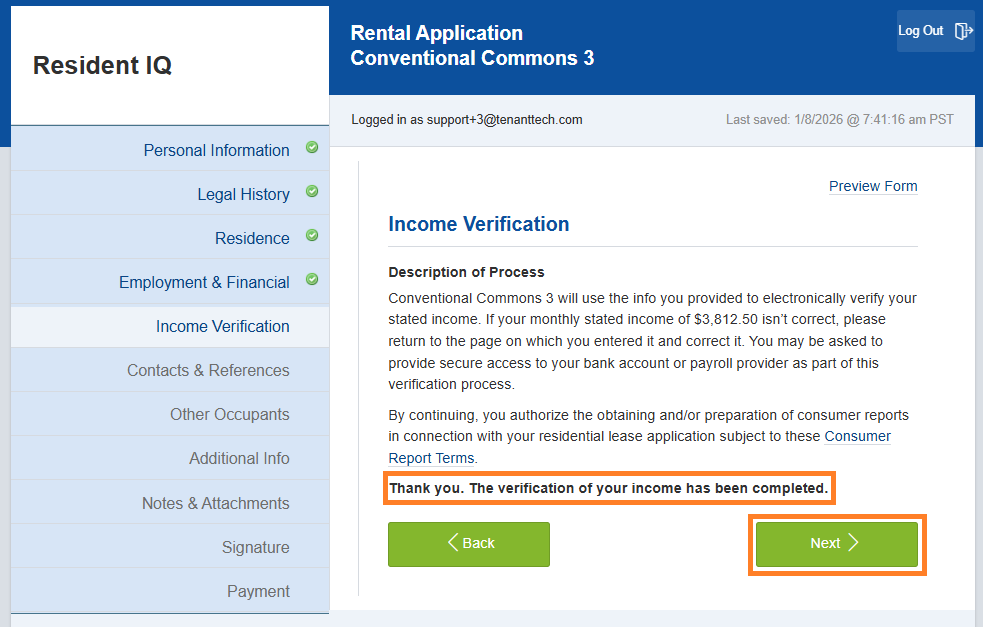
- If the income matches, the applicant is presented with the following message and can select Next to continue with their application.
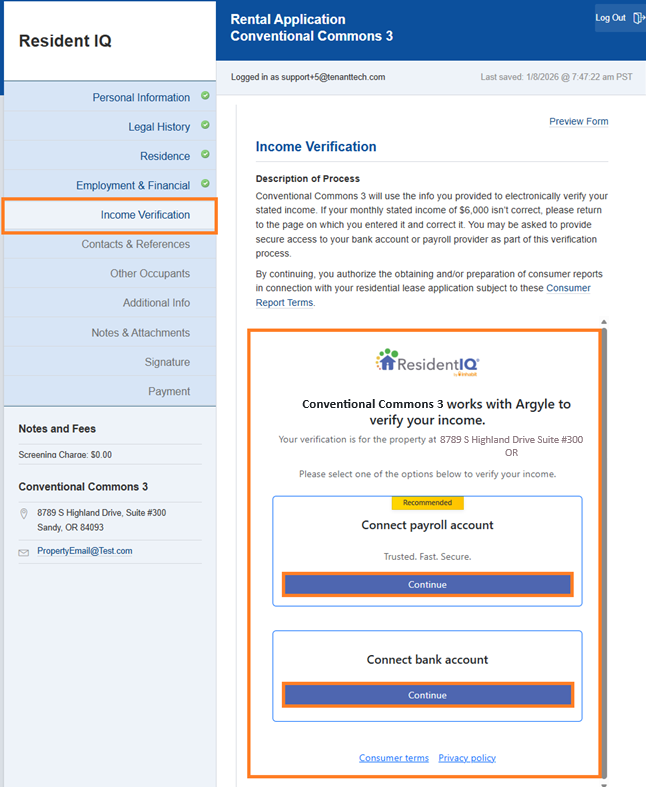
- If the income differs by more than 5%, the applicant sees an on‑screen message and is given options to complete income verification. See section below for options to connect to Payroll or Bank Provider or upload documents.
If Required- Additional Income Verification Options
Option 1: Payroll Provider or Bank
- The system guides applicants to securely connect their payroll provider or financial institution.
- Income data is retrieved and evaluated in real time.
- If connection is made and income is linked, the applicant's verification is completed immediately and the application continues.
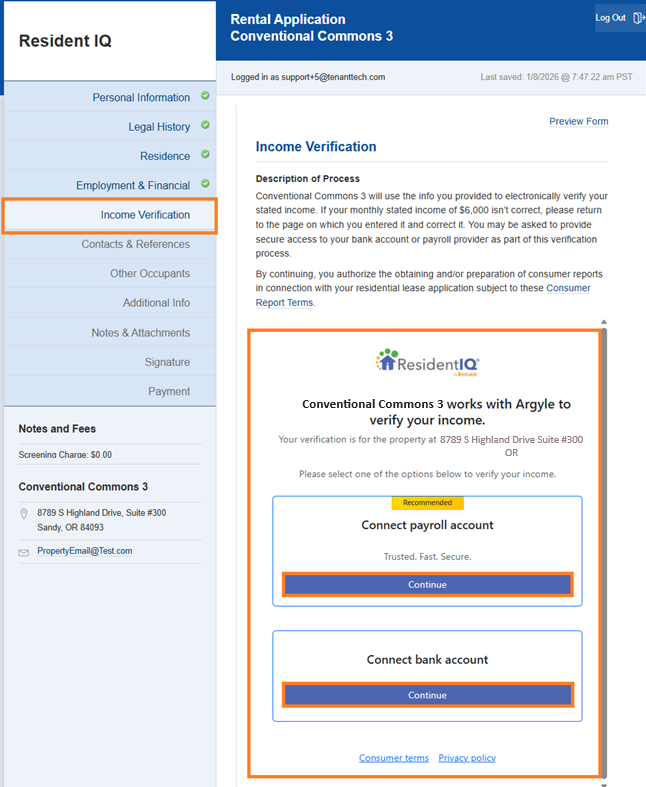
Option 2: Upload Documents
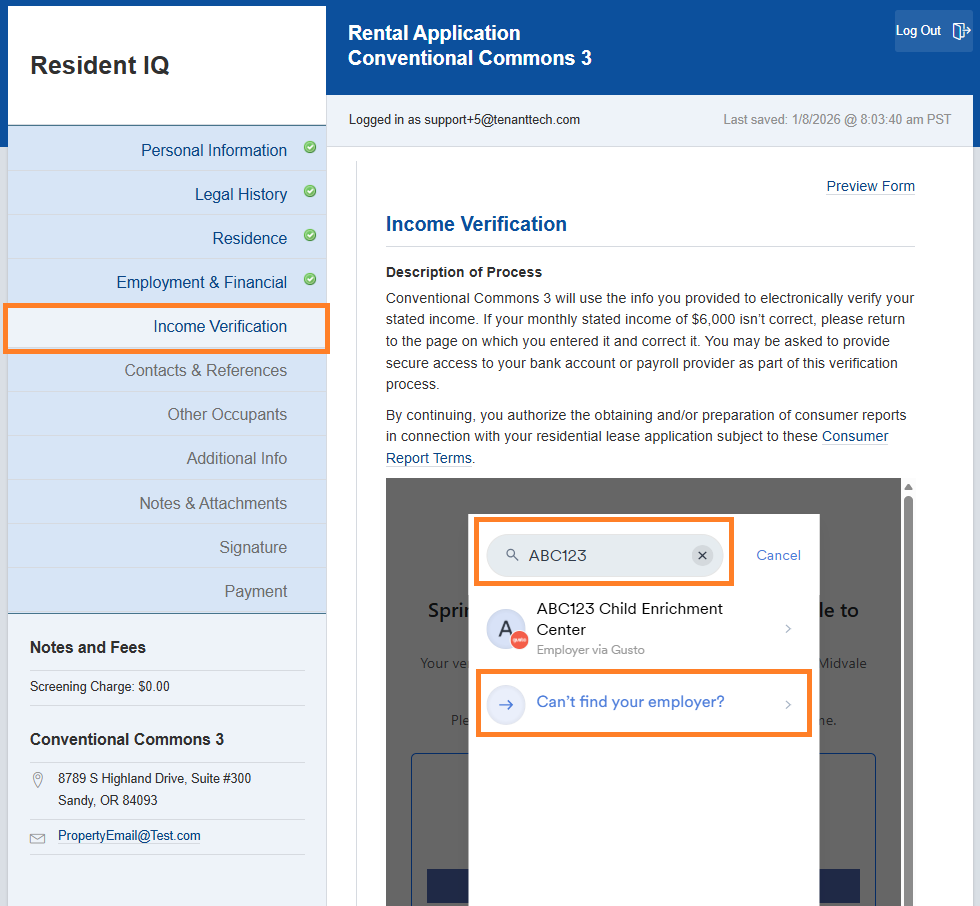
If the applicant's payroll / bank provider is not available to provide details electronically, the applicant will be prompted to upload documents. Documents that are uploaded will be available in TenantTech in the applicant details panel. Site teams can access uploaded documents by selecting the applicant's profile in program and selecting the menu option Notes/Attachments. Check out the short video to see how argyle works within our Application, How to share your income and employment information with argyle .
- Applicant should select the following button, Cant find your employer?
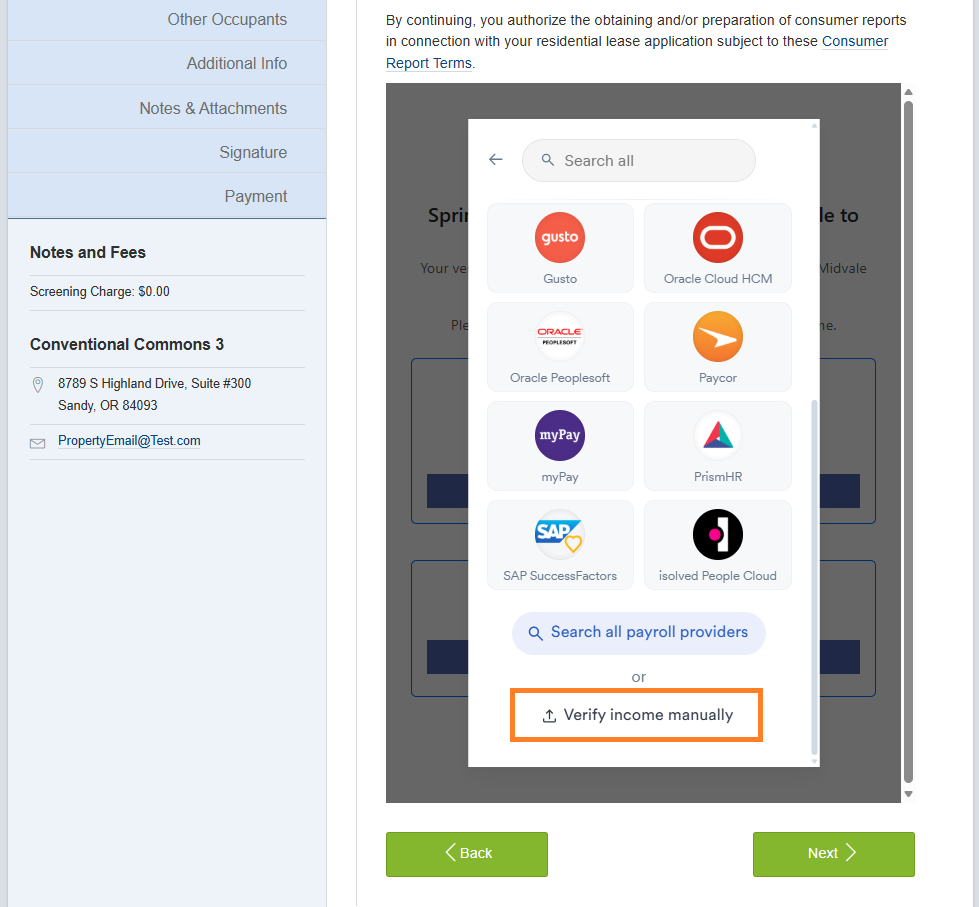
- Applicants can scroll to the bottom of the next page to select button - Verify income manually.
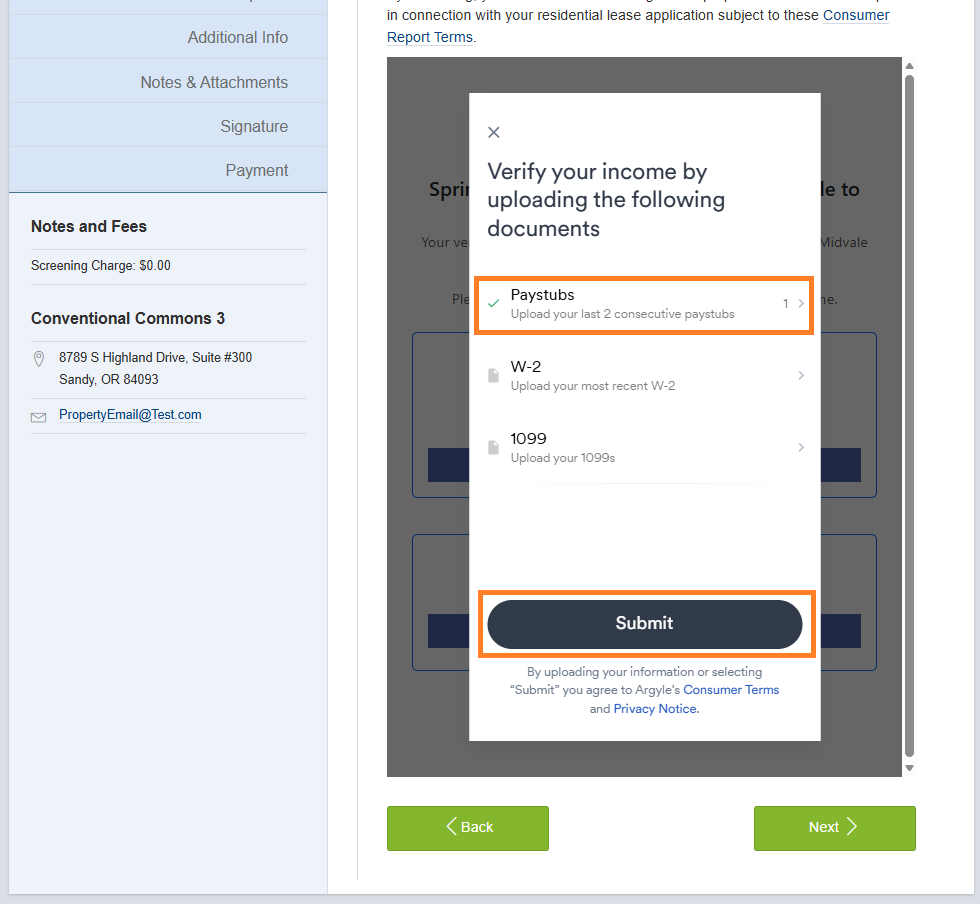
- Applicant can select to upload Paystubs, W-2 or 1099. Once documents are uploaded, applicants will be prompted to select the Submit button.
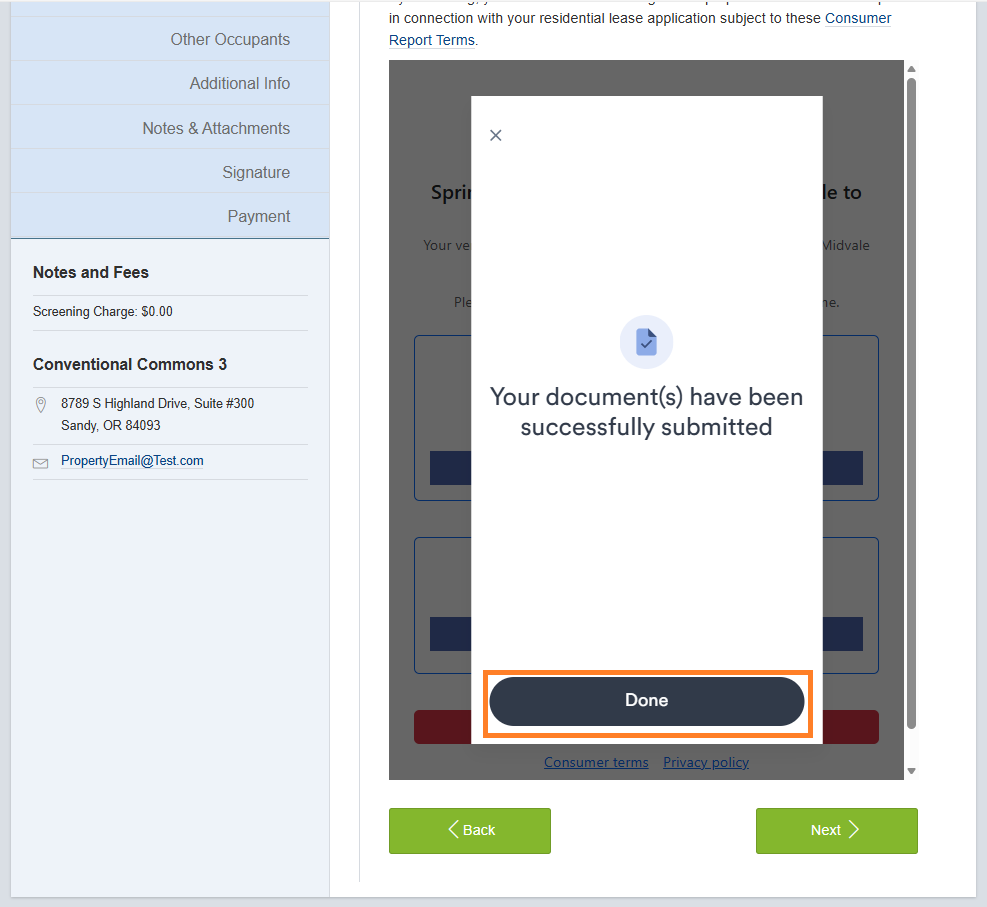
- Applicant should select the button Done.
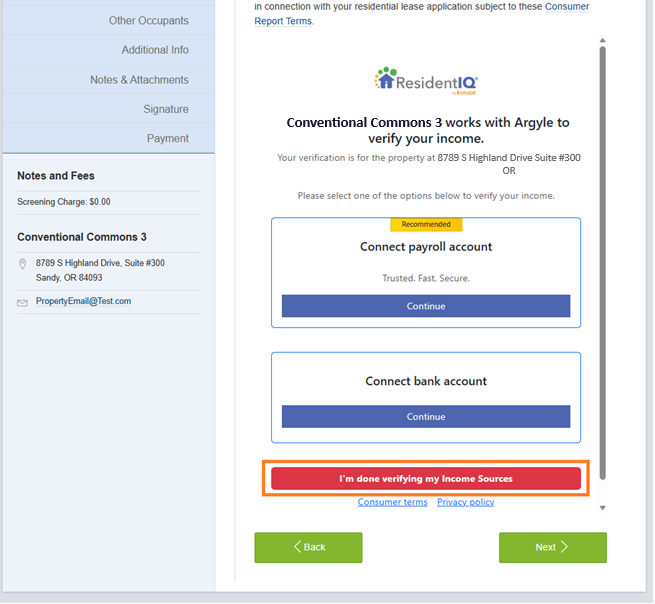
- Applicant should select the button, I'm done verifying my income sources. Select Next to continue with the online application process.
3. Complete the Application
After income verification is complete:
- Applicants finish the remaining steps of the application
- The steps above are what the applicant sees. This next part is for you, the property management team
For Property Management Teams: What to Know After an Applicant Completes Income Verification
This section is for leasing teams and property management staff to understand what happens on your side once an applicant completes income verification during the online application process.
Viewing Verified Income and Documents
- Uploaded documents are only available in TenantTech for applicants that connect to their Payroll Provider. Documents are not posted for those that connect to a Bank.
- Leasing teams can view uploaded income documents in TenantTech by opening the applicant profile and selecting Notes / Attachments.
- Leasing teams can view uploaded documents but cannot upload income documents on behalf of the applicant.
- If an applicant needs to change their income linked through Digital Income Verification / argyle, users should reach out to Western Reporting and request a new income verification link be manually sent to the applicant.
- Income from Digital Income Verification/ argyle isn't posted to or stored in TenantTech.
Key Things to Keep in Mind
- Income verification is completed by the applicant as part of the online application workflow.
- Leasing teams cannot modify, resubmit, or complete income verification steps for an applicant.
How This Impacts the Screening Process
- Using Digital Income Verification can help reduce manual income review and follow-up.
- Income verification results are available alongside other screening information for review.
- The overall screening workflow and review process remain unchanged.
- Digital Income Verification/ argyle allows applicants to upload documents in more file formats. We recommend uploading the original PDF but the integration will allow applicants to upload a print to PDF file.