This article is intended to walk TenantTech users through customizing the e‑signing expiration in program after generating new forms. This new feature allows you to control how long an electronic signing link remains active for residents. This gives you flexibility when collecting signatures, while keeping default expiration settings consistent across your accounts.
Reminder: This option is available after a document has been created.
How to Modify the E‑Signing Expiration
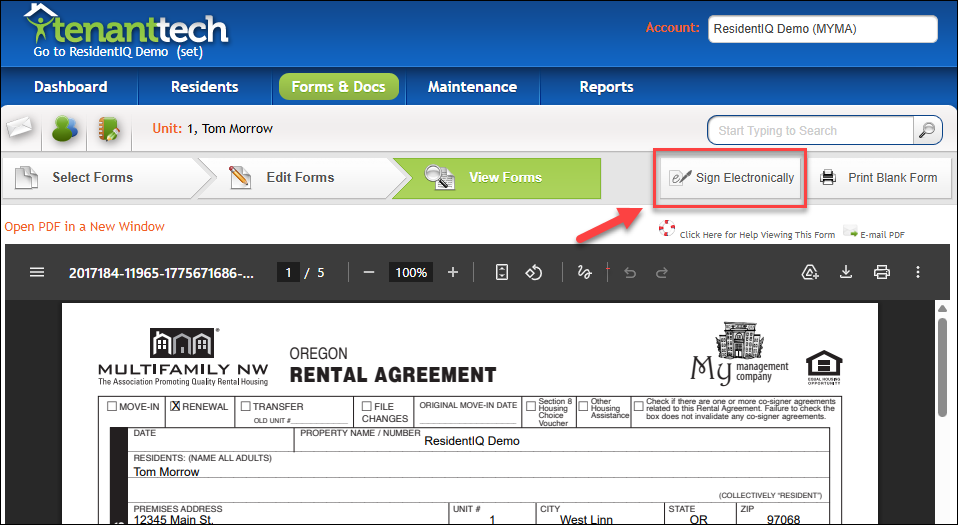
1. Select the option to Sign Electronically.
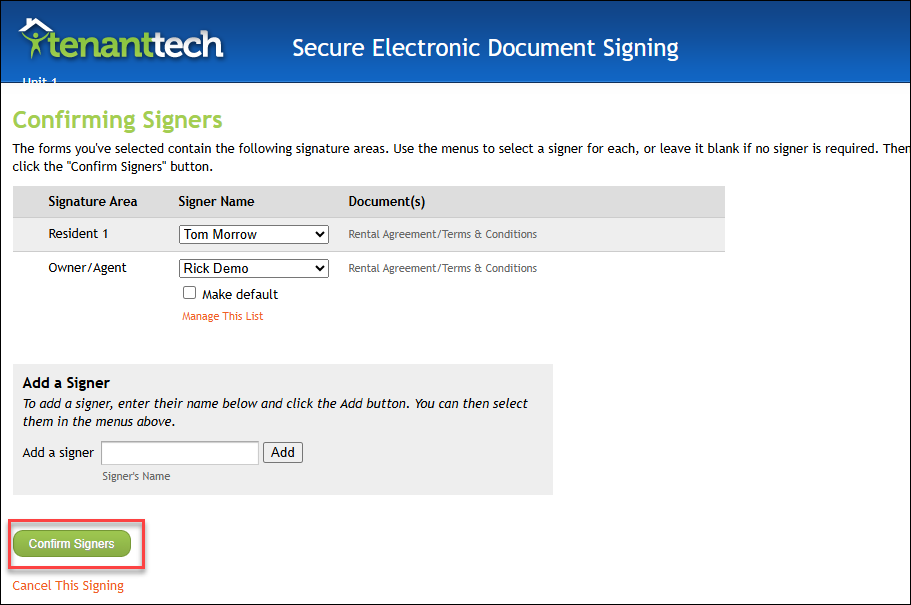
2. Review the listed signers, then click Confirm Signers to continue.
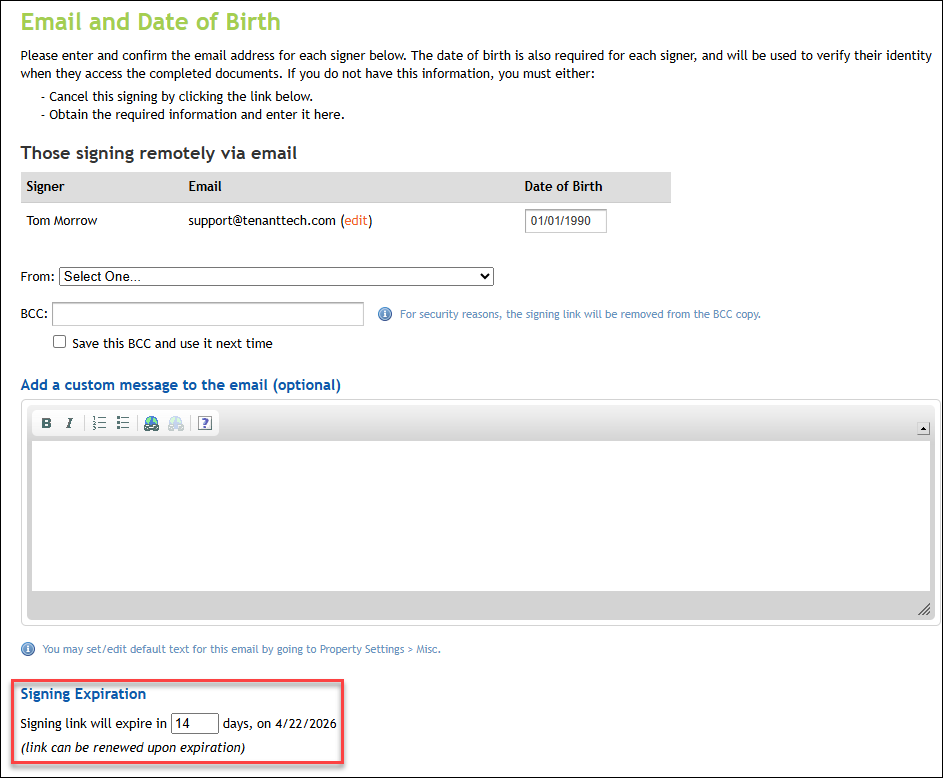
3. Enter the number of days you want the signing link to remain active. This determines how long residents will be able to access the link to sign.
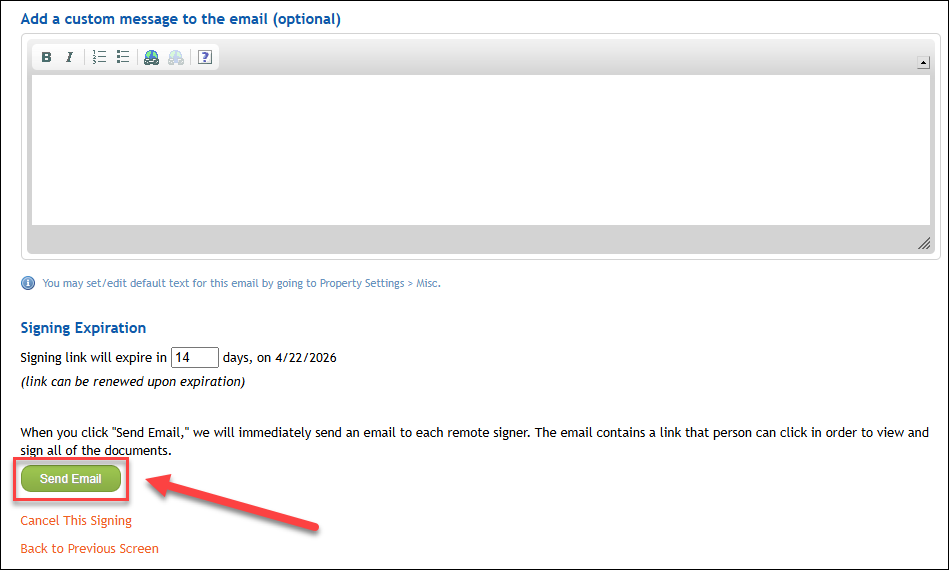
5. Click Send Email to send the signing link to the resident(s). Once sent, the signing link will automatically expire after the selected number of days.