
Use this guide to refund settled application fees collected through the Online Application workflow. Refunds can be processed directly in TenantTech (ResidentIQ) when your account is configured to collect applicant fees through the Aptexx integration.
Access and User Privileges
By default, Company Admins can refund applicants based on their company settings. Other users may have limited refund options. If you use the Aptexx integration but do not see the options described in this article, contact your Company Admin for assistance.
Company Refund Settings
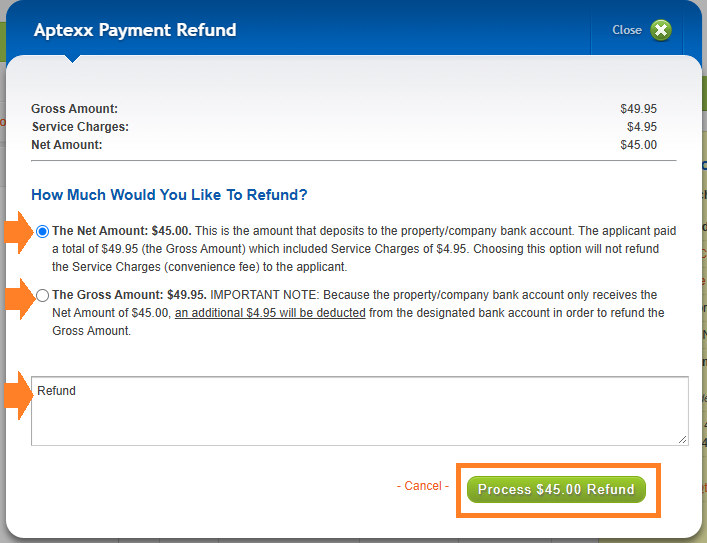
Company settings determine whether Aptexx refunds are processed for the Net Amount or the Gross Amount. We recommend refunding the Net Amount because it excludes the Aptexx convenience fee. If the Gross Amount is refunded, the management company is responsible for the convenience fee associated with processing the applicant’s payment.
Find Applicant Payment Details
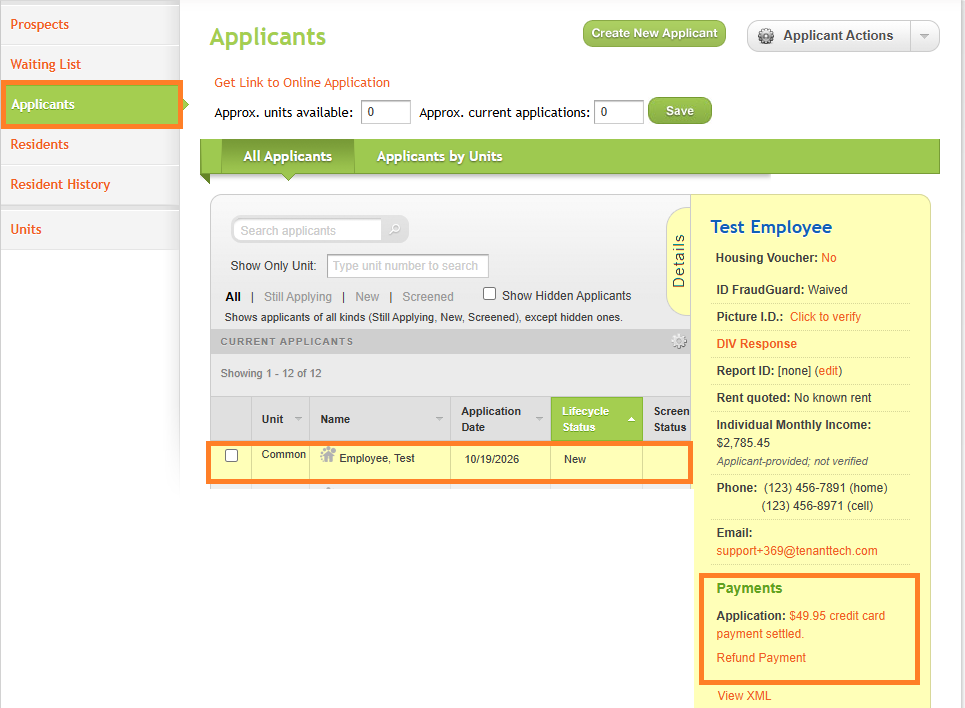
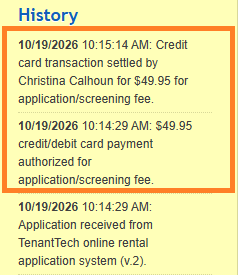
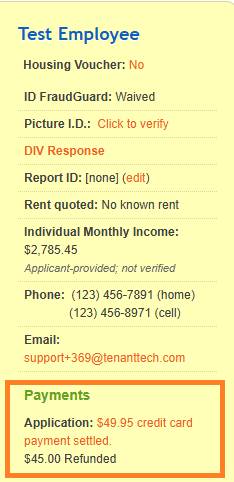
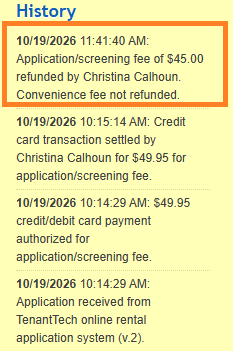
Select the applicant to view payment information in the Details Panel. Settlement information and other payment details are also recorded in the applicant’s History notes near the bottom of the panel.
Process the Refund
- From the Applicants landing page, select the applicant.
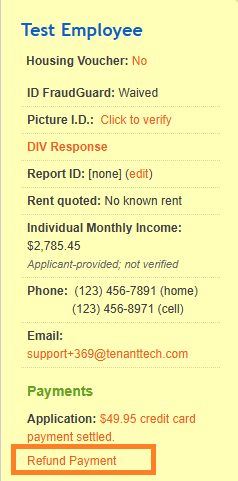
- In the Details Panel, select the Refund Payment link.
- Select either Net Amount or Gross Amount
- Enter the reason for the refund.
- Select Process
Confirm the Refund Note
Confirm that the refund appears as processed in both the applicant’s Details Panel and History notes.
Video Resource:
How to Refund an Application Fee in TenantTech _ ResidentIQ