
The purpose of this article is to guide users through the process of restoring a resident who has previously been moved out of the system. In many cases, a resident may be moved out by mistake or may return to the property after a temporary departure. Rather than creating a new resident profile, which can lead to duplicate records and reporting issues, users can easily reinstate the original resident record in TenantTech.
This article explains how to access the Resident History, where all previously moved‑out residents are stored. Users can locate the resident’s historical record and restore them to their original unit and resident status with just a few clicks in program.
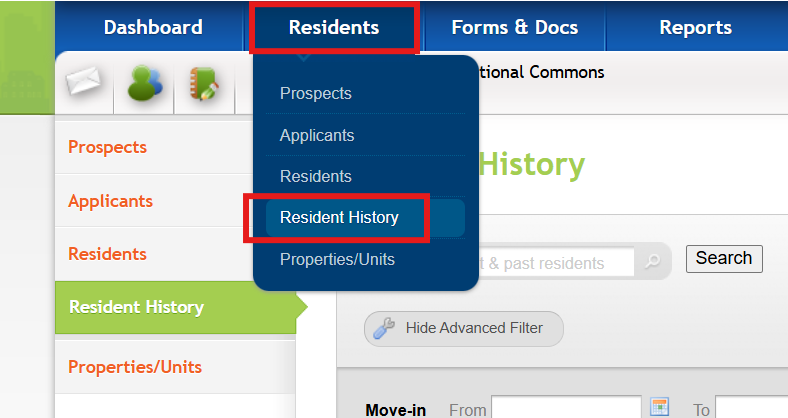
Restoring a Moved- Out Resident
Step 1- Search for the Resident
Use the Advanced Filters to search for the resident. You can search by:
- Name
- Move‑in or Move‑out date
- Unit or Property
- Status
After entering your search criteria, click Apply Filter.
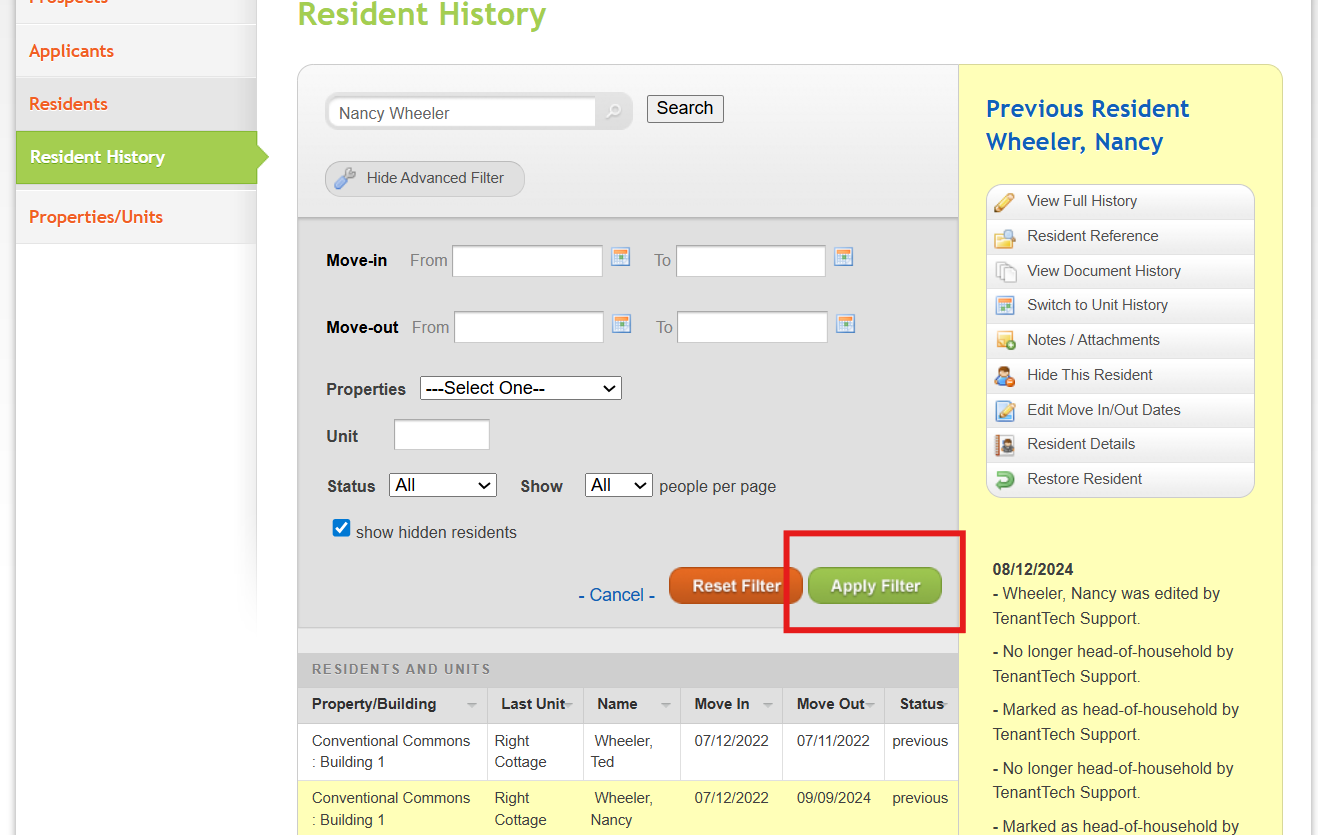
Step 2- Restore the Resident
Once you find the resident you want to restore:
- Locate them in the results list.
- Click Restore Resident.
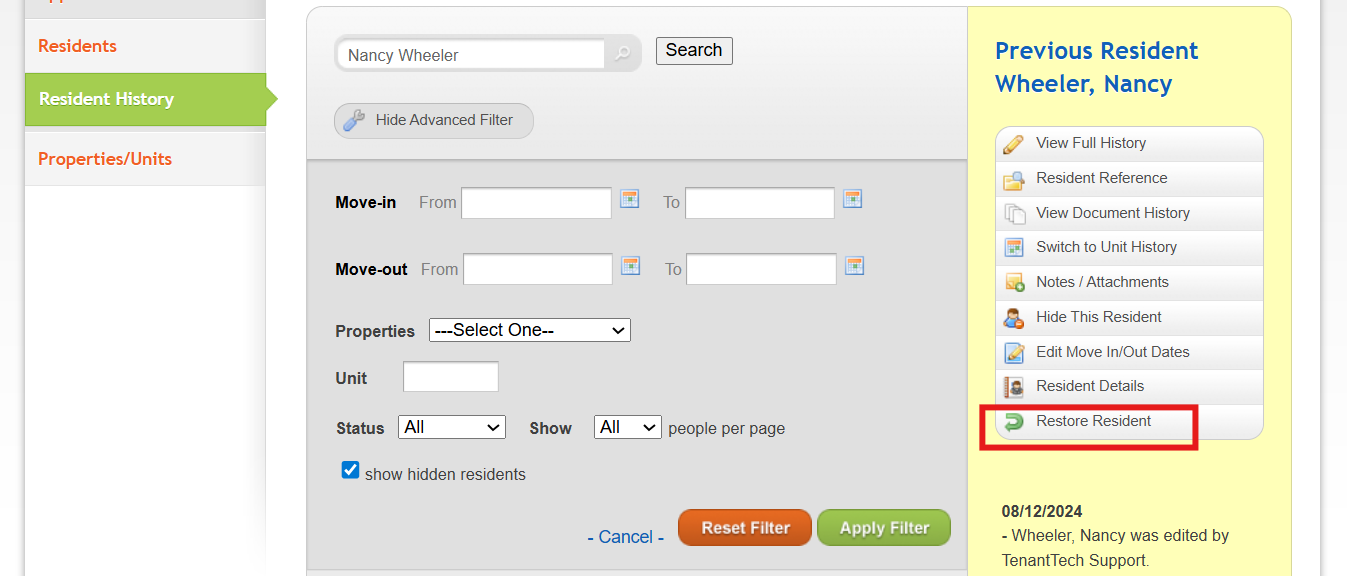
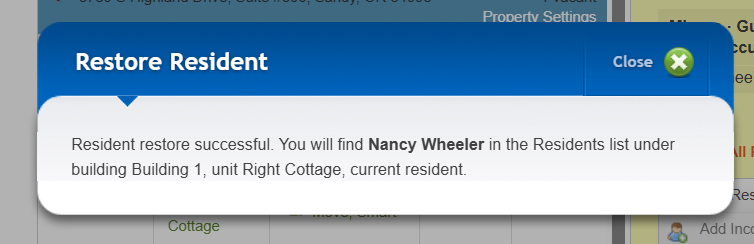
Step 3- Confirmation Resident was Restored
After the restore is complete:
- The resident will be returned to their original unit and original resident status.
- A confirmation message will appear letting you know the restoration was successful.
Can't locate a Previous Resident?
If the resident cannot be found in Resident History, please reach out to Tenant Tech Support via Live Chat or email Support@tenanttech.com. The resident may have been deleted, and only our team can restore deleted residents.
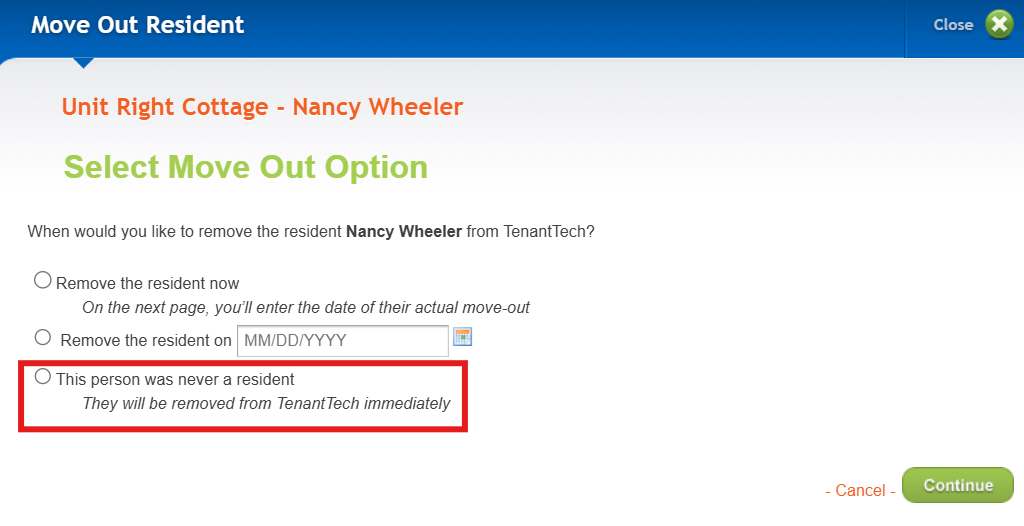
Note: Residents are only deleted when the following Move Out option is selected.
If you would like to learn more about the Resident History page please review the following article: Resident History Search : TenantTech