
This article will review what the applicant may see as they go through the application process. For information about managing the Account/Property Settings for the feature, please see our article *** New *** Account/ Property Setting Feature- Monthly Charges Disclosure : TenantTech
- Expected monthly charges
- One‑time fees
- Outlines what fees are mandatory and which are optional
- Notes about what each fee covers
If a Property Management Company is using the feature, applicant's will see the disclosed monthly charges listed along the left side of the Online Application page.
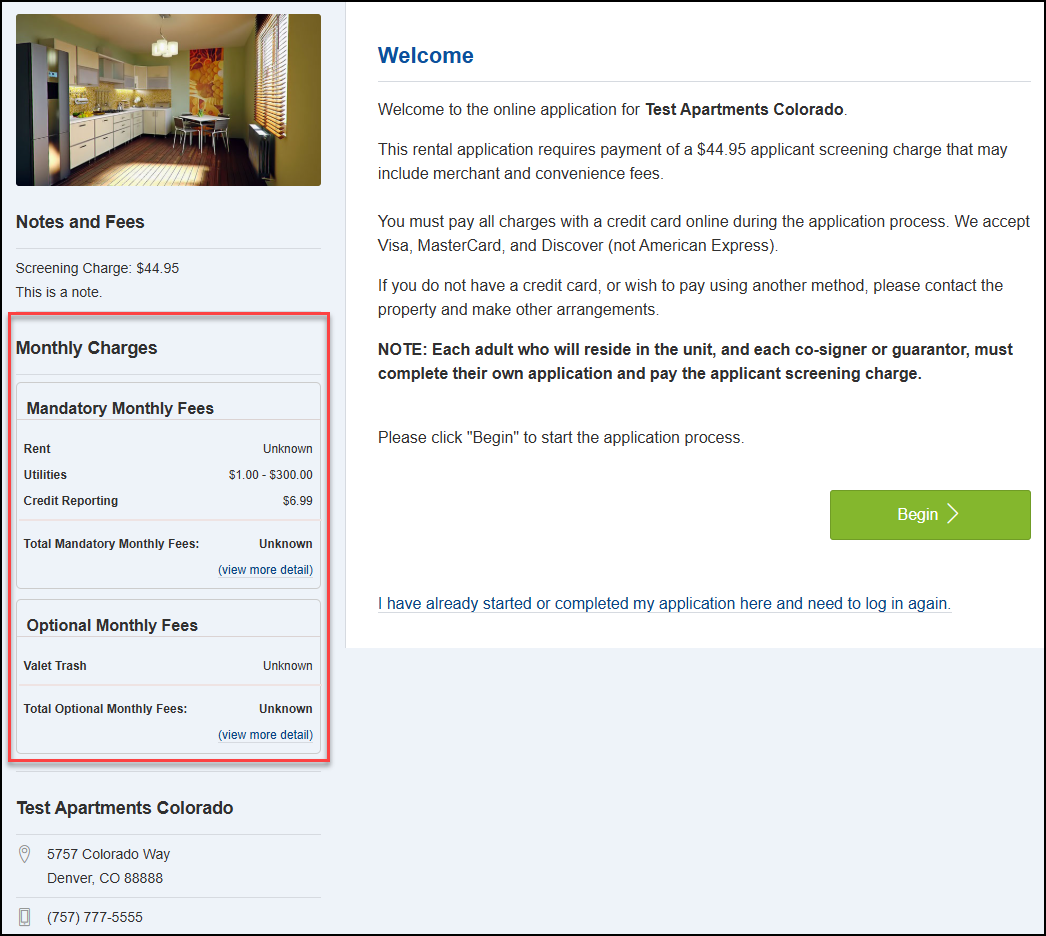
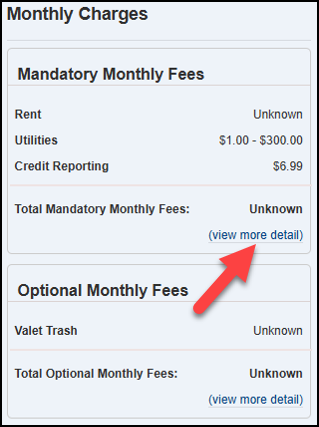
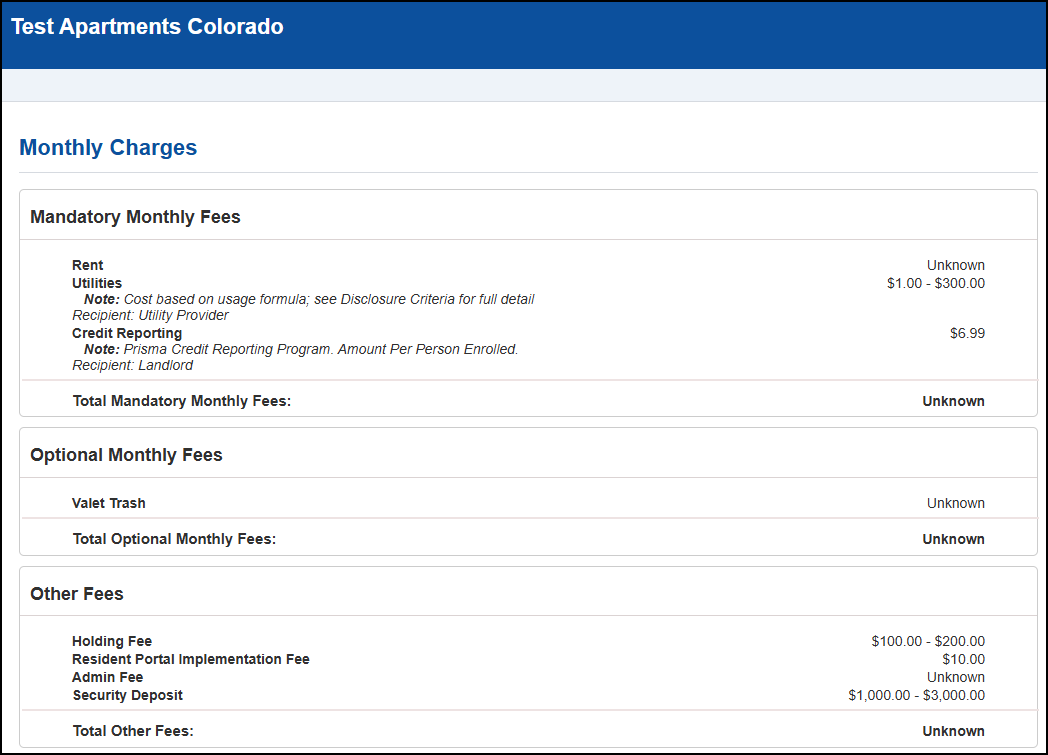
By selecting view more detail, applicants can open a dedicated screen that lists all fees in detail. This helps ensure applicants understand how each fee applies.
View more detail page allows applicants to view:
- The name of each charge
- Whether it is monthly or one‑time
- Any additional notes or explanations
Applicants will get a final chance to review fees associated with the unit they are applying before they fully submit the application to the management team for review. In the preview, the applicant can complete the following:
- View the charges online
- Download the PDF
- Print a copy
A copy of this disclosure will also be included with your Application PDF that is on file with the Property Management team.